How to Administer Medications in AfyaWingu: Step-by-Step Guide for Clinicians (2025 Update)
Welcome back to Afya Wingu Healthcare Management System—your complete digital solution for modern patient care.
In this guide, we focus on Section 6: Administer Medications, where clinicians can select, administer, and document all medications given during a patient’s visit.
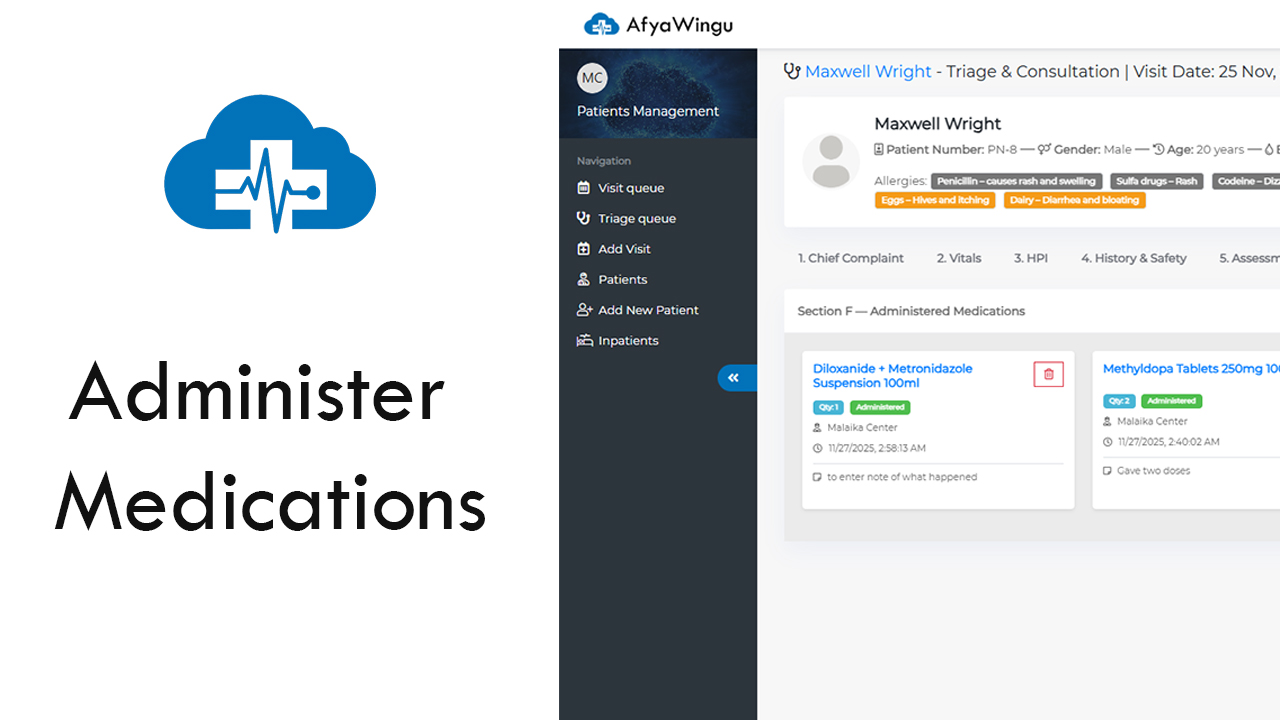
In our example, we are working with the active patient record for Maxwell Wright, a 20-year-old male who visited the facility on November 25, 2025. Previous sections such as Chief Complaint, Vital Signs, History, and Clinical Assessments have already been completed. Now it’s time to record any medications administered during his consultation.
Section 6: Administer Medications Overview
From the top navigation tabs, click on
“6. Administer Medications”
—this tab will appear highlighted in blue.
This section displays all medications already given to the patient, including:
- Medication name
- Quantity/dose
- Facility name
- Time administered
- Clinician who administered it
- Notes or special remarks
Example of Administered Medications:
- Diloxanide + Metronidazole Suspension 100ml — 1 dose at 2:58 AM
- Methyl dopa Tablets 250mg — 2 doses at 2:40 AM
- Paracetamol Suppositories 125mg — 1 dose at 2:34 AM
Each medication card features:
- Administered Tag (confirmation)
- Facility (e.g., Malaika Center)
- Time Recorded
- Optional Notes (e.g., “Patient tolerated well”)
💡 Pro Tip: Always include a note for any reaction, side effect, or special instructions. This supports clinical decision-making and enhances continuity of care.
How to Administer a New Medication
To add a new medication entry, click the blue button:
“Administer Medication”
A pop-up window will guide you through the process.
Step 1: Search for the Medication
Start typing at least three characters of the medication name.
Examples:
- Typing “para” shows Paracetamol Suppositories 125mg
- Search by generic name, brand name, or dosage form
💡 Tip: Use commonly used names—Afya Wingu auto-suggests available medications as you type.
Step 2: Review Medication Details
When you choose a medication, Afya Wingu displays useful details:
- Medication Name
- Dosage Form (tablet, syrup, suppository, etc.)
- Available Stock (e.g., In Stock (97))
- Price (e.g., Ksh 50.00)
⚠️ If stock is low or unavailable, the system automatically alerts you—ensuring accurate and safe medication administration.
Step 3: Select the Medication
Click “Select” next to the medication you wish to administer.
Step 4: Confirm Administration
Click the green button:
“Confirm Administration”
The system will immediately:
- Add the medication to the Administered Medications list
- Record the timestamp
- Log the facility and user
- Mark the medication as “Administered”
A new card will appear within the list showing the updated entry.
Optional: Add Notes After Administration
Each card includes a checkbox:
☑️ “to enter note of what happened”
Use this to add important clinical notes—for example:
- “Patient vomited 10 minutes after dose”
- “No reaction observed”
- “Administered under supervision due to allergy history”
💡 Tip: Documentation of even minor reactions is crucial for patient safety and legal compliance.
Deleting a Medication Record (If Necessary)
To remove an incorrect entry, click the red trash bin icon on the medication card.
A confirmation popup will appear asking:
“Are you sure you want to delete this?”
⚠️ Only delete when absolutely necessary.
AfyaWingu maintains a full audit trail for accountability and transparency.
Save Your Work
At the bottom-left of the screen, click:
“Save Information”
While Afya Wingu includes auto-save features, manually saving ensures all entries are fully recorded and visible to the next clinician.
You will also see a tracking note:
Last saved: November 25th, 2025 | Updated By: Malaika Center
This enhances communication, documentation accuracy, and continuity of care.
You’ve Completed Section 6: Administer Medications!
By following this workflow, you ensure accurate, safe, and traceable medication administration for every patient.
With all sections now complete, the patient record is ready for the doctor to review—supporting faster decision-making and improved clinical outcomes.
Thank you for choosing AfyaWingu, where healthcare documentation becomes smarter, safer, and more efficient.